# SECTION 4: Eberl App Registration and Onboarding
# Step 1 – Download the Eberl Inspections App & Register
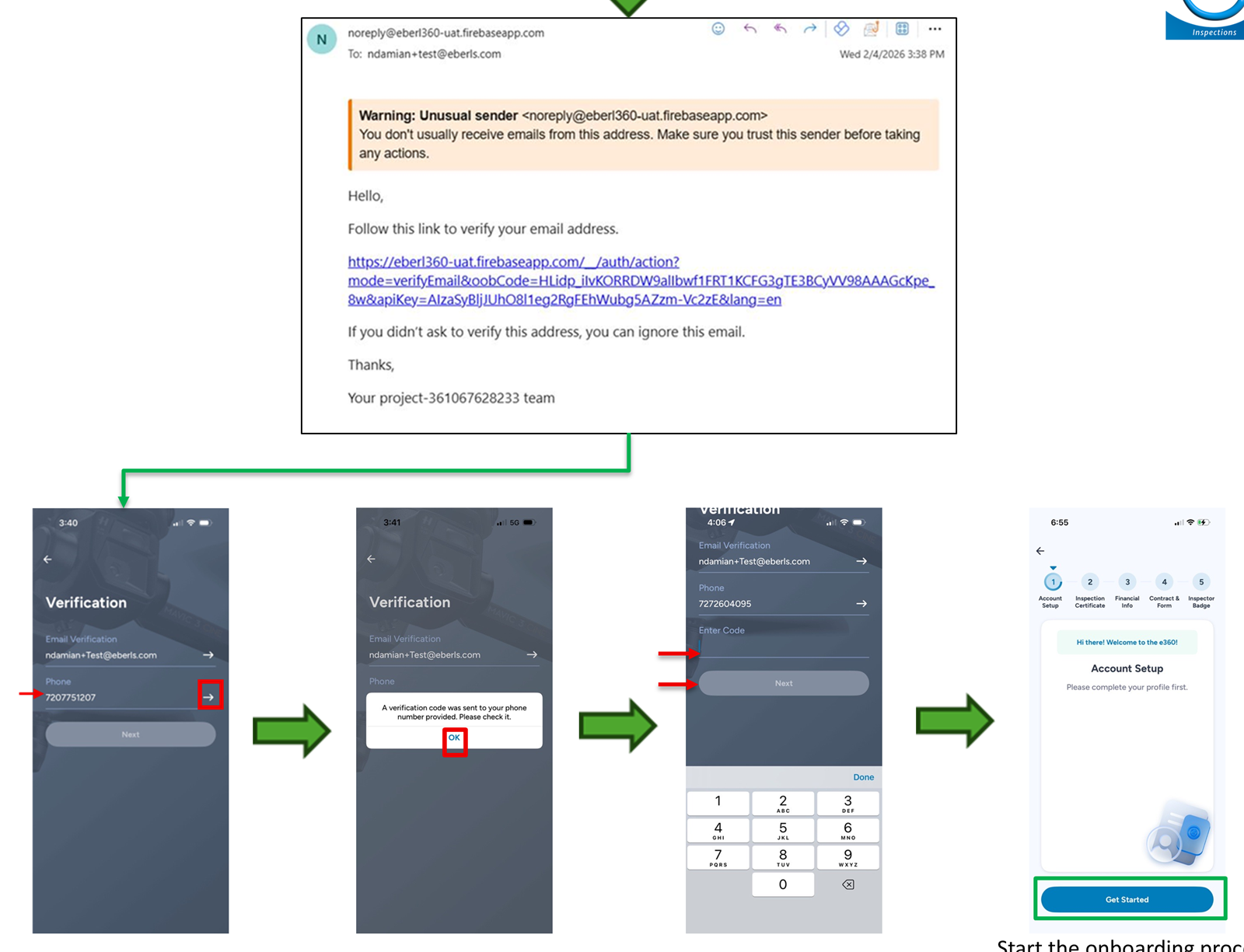
- Download the Eberl Inspection mobile app from the Apple App Store or Eberl's Android sideload site.
- Create your account.
- Click the white arrow next to your email to receive the verification link.
- Click the white arrow next to your phone number to receive the SMS verification code.
- Enter the verification codes to complete registration.
Important: You must click the white arrow for the system to send the verification message.
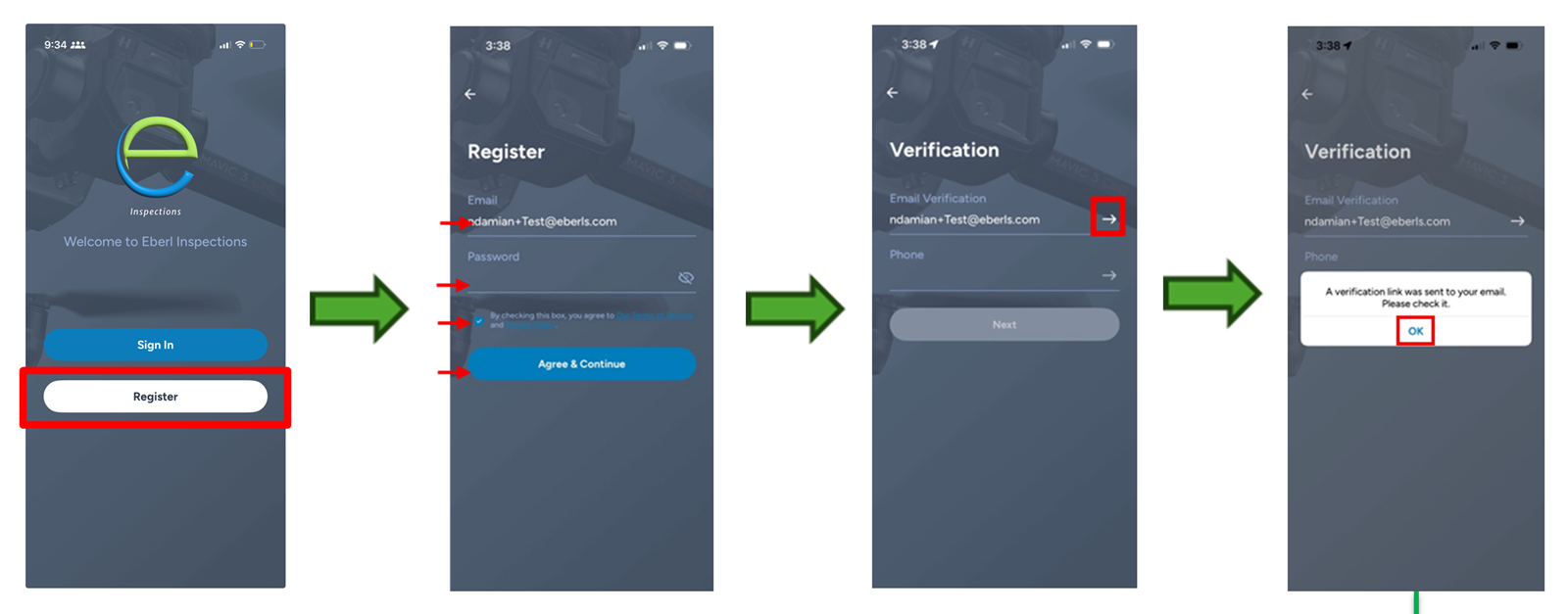
# Registration Screens – Start the Onboarding Process
# Step 2 – Complete Account Setup
- Fill out your account profile.
- Provide equipment availability.
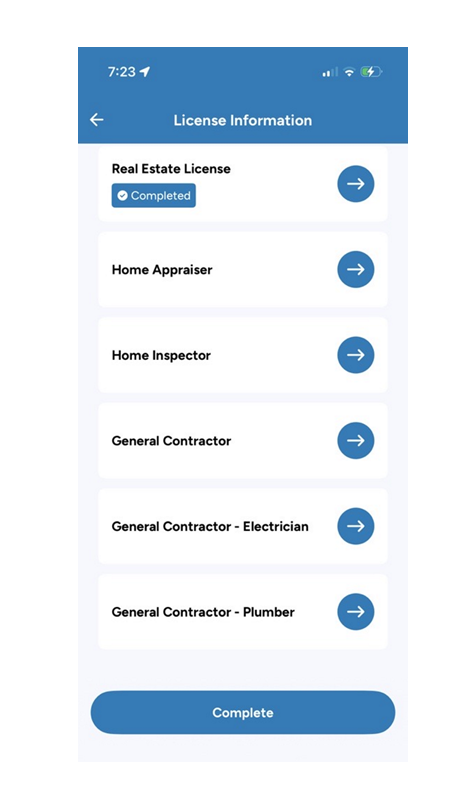
- Provide experience and license information.
- Submit the profile for approval.
TIP
Once submitted, the application will be reviewed manually. No additional action is required during this period. Upon approval, you can proceed to select your badges.
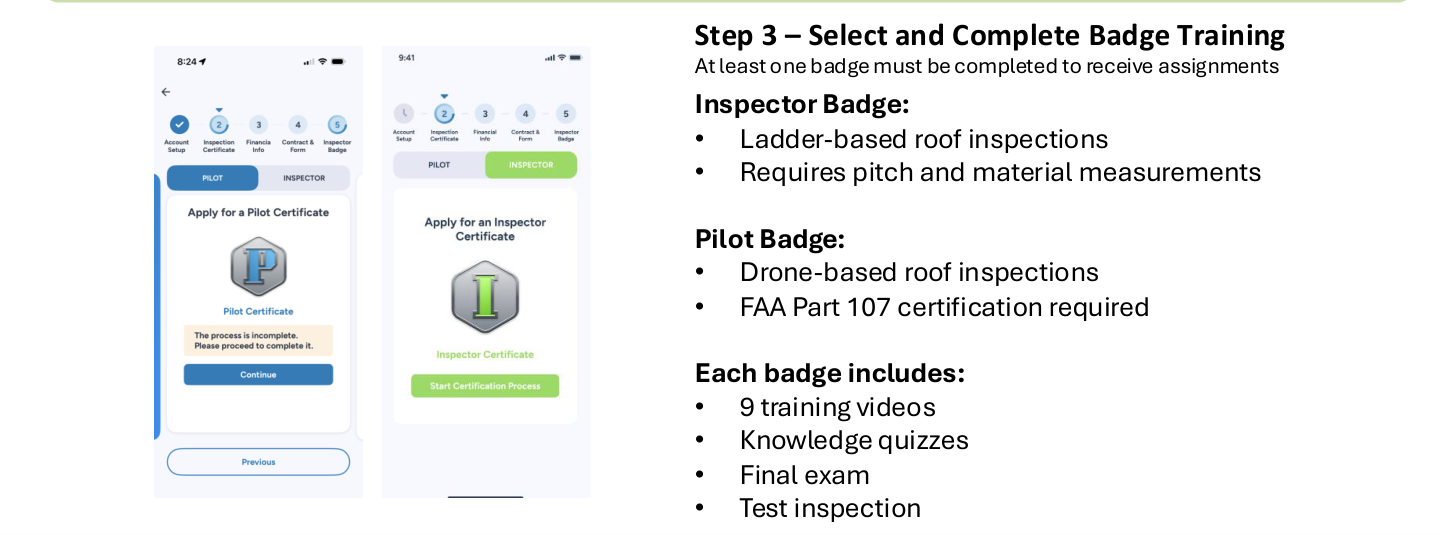
# Step 3 – Select and Complete Badge Training
At least one badge must be completed to receive assignments.
- Inspector Badge — Ladder-based roof inspections. Requires pitch and material measurements.
- Pilot Badge — Drone-based roof inspections. FAA Part 107 certification required.
Each badge includes:
- 9 training videos
- Knowledge quizzes
- Final exam
Test Inspection Requirements:
- Pilots: Test inspection completion and approval are required to be eligible for assignments.
- Inspectors: Test inspection is optional and is not required to be eligible for assignments.
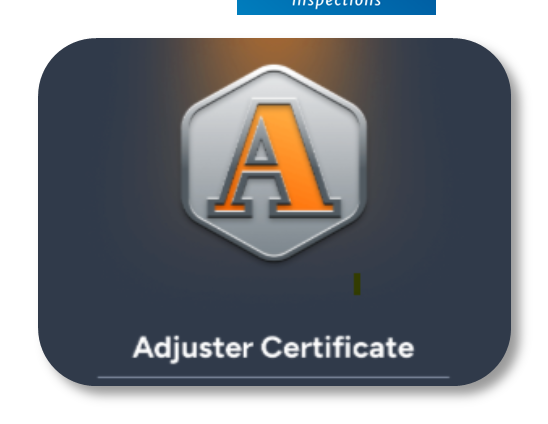
# Adjuster Badge (Optional)
The adjuster badge is available for licensed adjusters and allows users to record license information. It does not include training and does not require a test inspection. This badge becomes available under your main menu certifications after the test inspection is completed.
# Step 4 – Complete a Test Inspection
- Pilots: After passing the final exam, pilots must complete and receive approval for a test inspection before becoming eligible for assignments. An email with detailed guidelines will be sent after the final exam is completed.
- Inspectors: Test inspections are optional and are not required for assignment eligibility. Inspectors who choose to complete a test inspection should follow the guidelines provided after completing the final exam.
Each badge has specific image requirements that must be followed. Do not attempt a test inspection before reviewing the applicable guidelines.
Important: Check your spam or junk folder for the guidelines email and review all requirements before completing a test inspection.
# Step 5 – Compliance & Final Setup
After completing the applicable badge and test inspection requirements, users must complete the required insurance coverage attestation:
- Business liability insurance for Inspectors
- Aviation liability insurance for Pilots
- Both if applicable
# Final Step – Set Availability
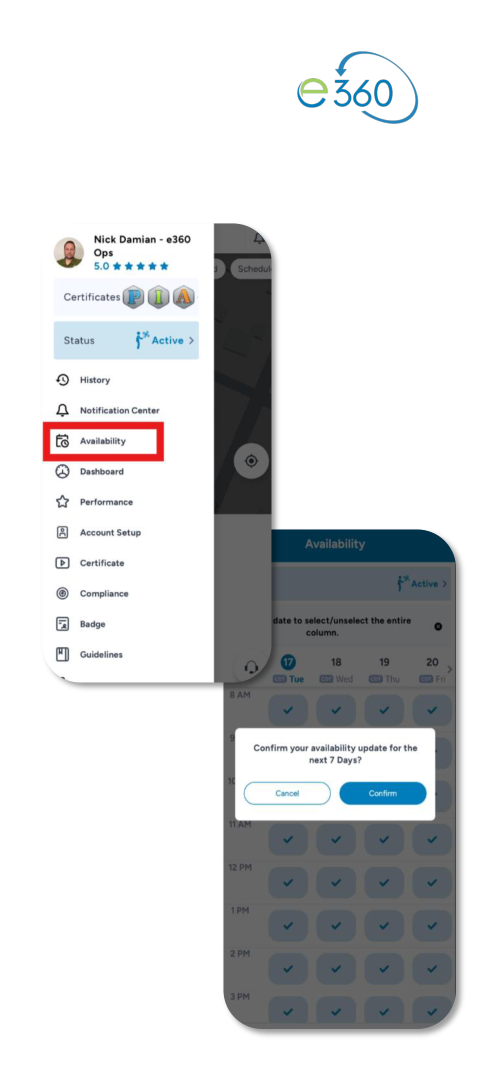
After all steps are completed, open the Eberl Inspections App and set your availability. Once availability is set, you will be eligible to receive assignments when work becomes available in your area.
Completion Criteria — Users are fully onboarded once the following are completed:
- Registration and verification
- Badge training
- Test inspection approval for Pilots
- Required compliance documentation
- Insurance coverage attestation completed
- Availability set in the app
Outcome — Once onboarding is complete, users are eligible to accept assignments through the Eberl Inspections App.