
# SECTION 6: Assignment Handling & Communication Protocols

# Offer and Assignment Timing — The Three Clocks
Three clocks govern every offer and every accepted assignment. Almost every deadline in the mobile application is one of these three.
| 90 MINUTES to accept or reject an offer | 4 HOURS to make contact with the insured | 2 DAYS to set the date and complete the inspection |
|---|---|---|
| Starts when the coordinator sends the offer — not when you read it. | Starts the moment you accept the offer. | Starts when you reach the insured. |
| At zero the offer disappears. There is no grace period. | Miss it and the assignment is flagged OVERDUE to your coordinator. | Schedule the flight and complete it inside this window. |
Key rule
Accepting an offer starts the 4-hour clock. Reaching the insured starts the 2-day clock. Failure to meet these requirements may result in assignment reassignment and impact your pilot rating.
Accept only when you can meet every one of these commitments.
# Notifications and the Mobile Application Navigation Bar
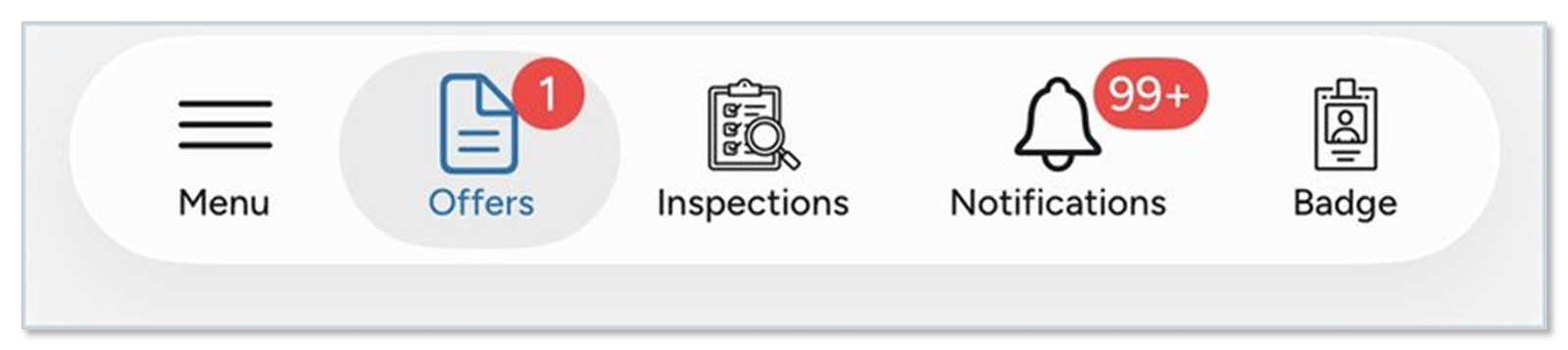
Mobile application navigation bar — five tabs, with red count badges on Offers and Notifications.
The five tabs
- Menu — your status, certificates and availability
- Offers — work sent to you, waiting for an answer
- Inspections — everything you have accepted
- Notifications — a log of every message the application has sent you
- Badge — your ID for site access
- A red number on a tab means something is waiting for you there.
Keep push notifications turned on
Without them an offer still reaches the Notifications tab, but you see it later, with less time left to answer. Check the Offers badge whenever it is not zero — if it is not zero, something is waiting and a clock is running.