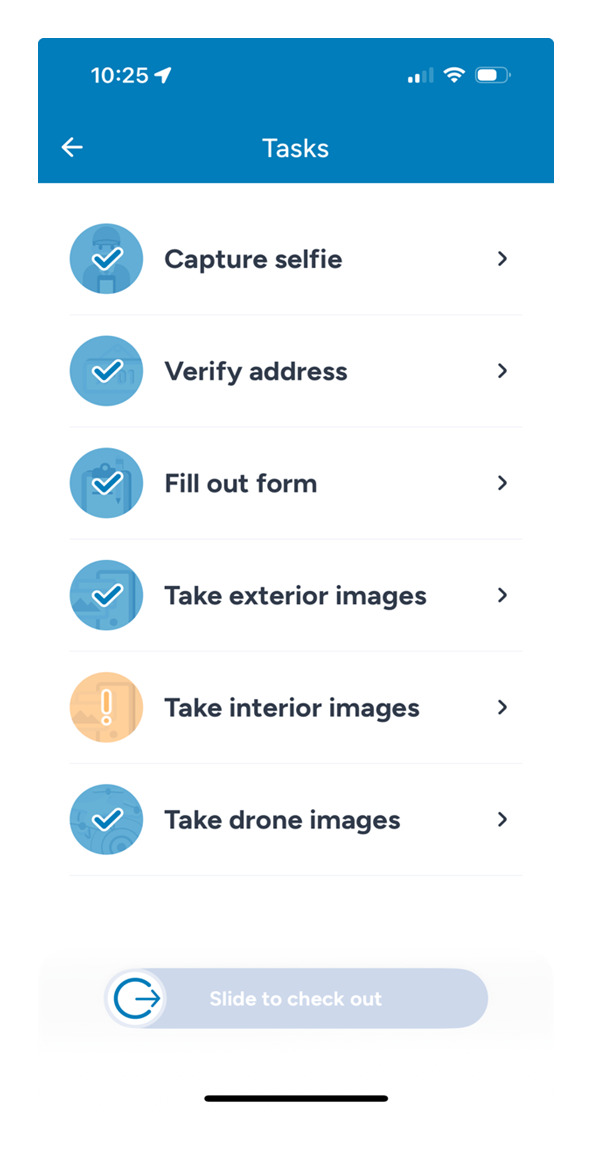
# SECTION 16: Pre-Departure Checklist
# 1. Check-in process
- Selfie was taken
- Address verification
- Form Completed
Tasks stay locked until you tap CHECK IN.
# 2. Exterior Images
- Main Dwelling (Overviews, Segments, and Close-Ups)
- Fence (Capture estimated property line if unfenced)
- Detached Garage
- Storage Shed (Overviews and Close-ups)
- Guesthouse (Overviews, Segments, and Close-Ups)
- Swimming Pool
- Outdoor Contents (Plastic Toolshed, Furniture, grills, etc.)
- Other Structures (Overviews, Segments, and Close-Ups)
# 3. Drone Images
- Property overview (1)
- Main Dwelling (1)
- Birdeye View (16+)
- Zig Zag (9+)
- Close-Ups (Entire Roof)
- Gutters
- Roof Layers
- All Secondary Structures
# 4. Interior Images
- Main Dwelling — capture interior images only of the rooms the insured has identified as damaged.
- Measurements – Document dimensions of each room showing signs of interest and include them in the job feedback (e.g., Living Room: 20' x 25') as a backup in case Hover scan upload fails.
- HOVER Interior Scan – Complete and submit all interior scans using the HOVER app. Ensure upload status reaches 'Evaluating' before leaving the property.
Always check that all Job task are completed.